
Menu


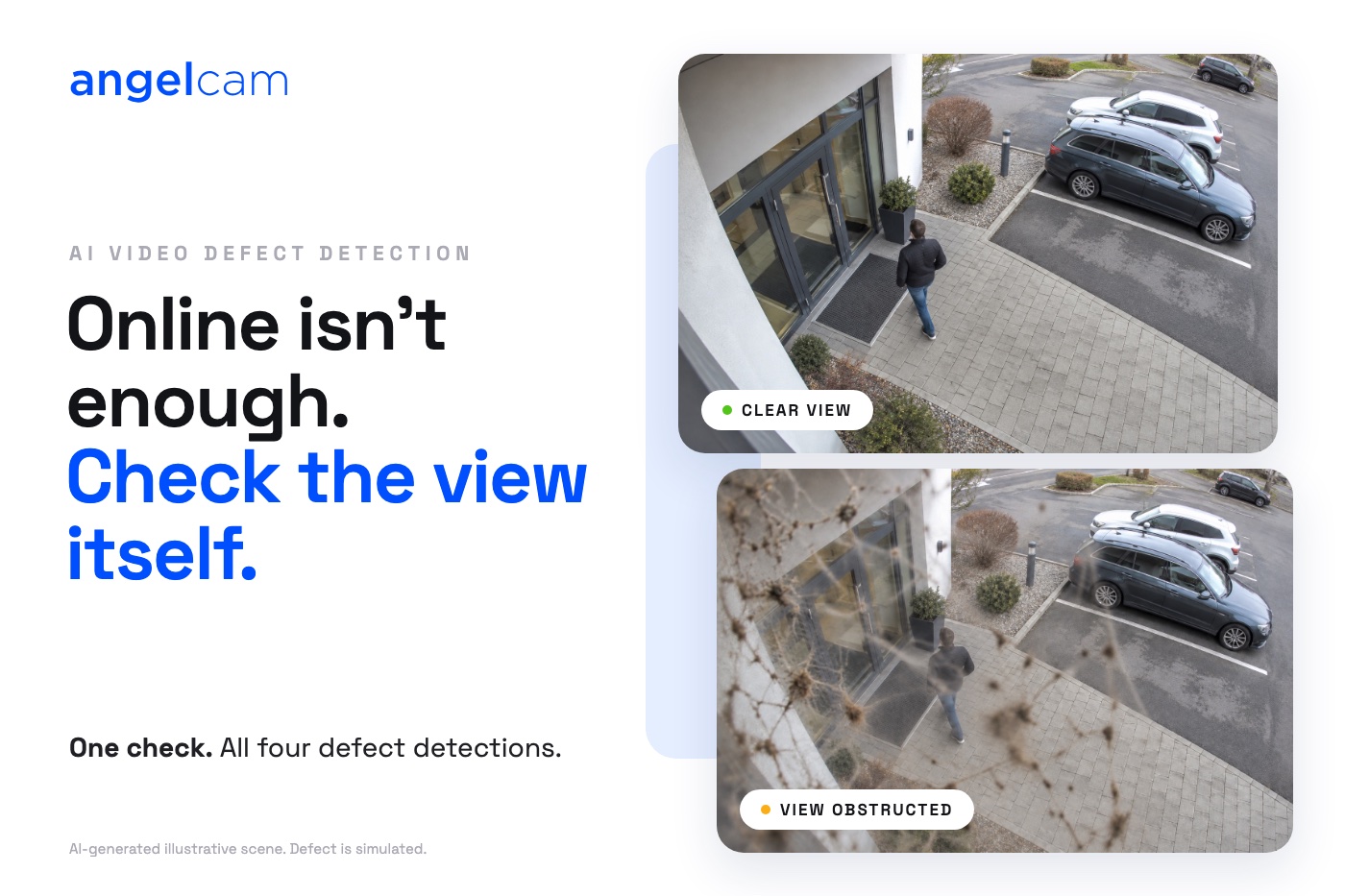
Your camera dashboard says everything is online. Good. But is the entrance camera still pointing at the entrance? Is the lens clean? Is the clock right? A connection status can’t answer any of that, and you usually find out when you need the footage and it isn’t there.
Today we are launching video defect detection. Scheduled AI checks look at the image itself and tell you when a camera needs attention, so you can fix it before you rely on it.
Each check compares the camera’s current image with a reference view and looks for four kinds of defect:
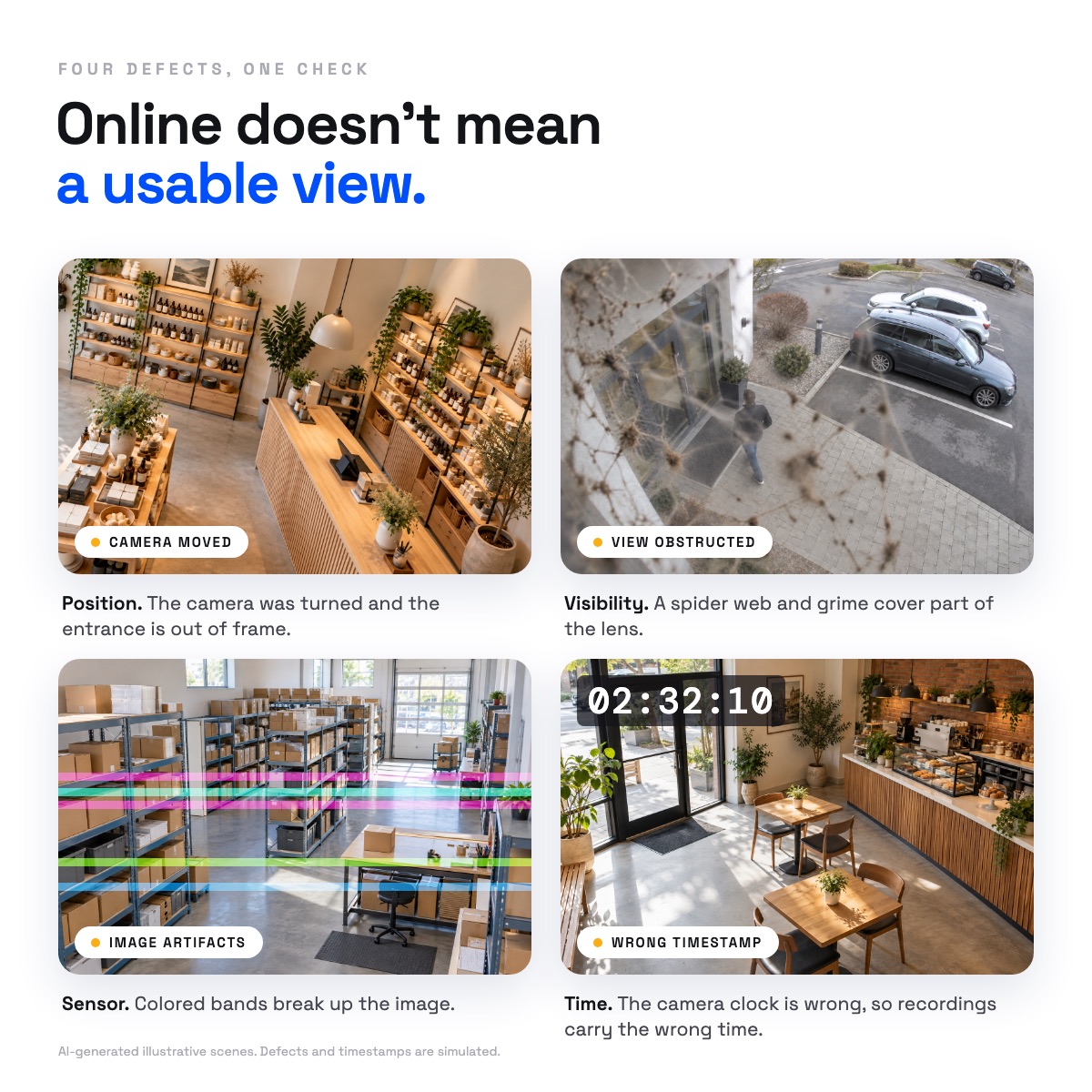
Every finding comes with the reference and current images side by side and a short explanation of what changed. You decide whether it needs a ladder, a cloth or a settings change, and you mark the verdict correct or wrong.
In the results collected so far, it has reached 95% measured accuracy. We will update that figure as more results come in.
You set up checks per camera, on the camera’s Checks page in MyAngelcam. It takes a few minutes:
For example, a monthly schedule with 3 daytime and 5 night-time checks uses 8 checks a month for one camera. On that schedule, the checks included in Essentials cover one camera, Professional covers six and Business covers 25.
The Help Center article How to set up AI checks for your cameras (video defect detection) walks through every setting step by step.
One check covers one camera and runs all four detections together. Every Angelcam plan includes monthly checks: 10 a month on Essentials, 50 on Professional and 200 on Business and Flex. Here is how: every month, your plan adds AI credits to your account that cover its included checks, and checks are paid from those credits. So the included checks really cost you nothing extra. After that, a check costs $0.02, or $20 for 1,000.
It checks the picture, not the connection. To know when a camera goes offline, keep using Live camera health monitoring. Together they tell you whether a camera is connected and whether its view is usable.
It runs on a schedule. It is routine maintenance, not an alarm: it will catch the camera that was knocked sideways last week, not the moment it happens.
Find the problem. Restore the view you need.


